How (and when) to report posts
Original Post
nzb4u Link You need to be logged in on the site to view this.
Issue with the actual post
- Is the NZB download file missing from the post?
- Does the NZB download the wrong movie/tv/app/etc. (aka, it's mislabeled)?
- Is your download successful, but missing some files? (ex. download an entire season and it's missing an episode)
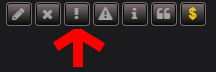
If you answered Yes to any of the above questions... Click the "Report Post" on that post and fill out the form.
What not to do
Do NOT PM the original Poster with the issue/complaint.
Do NOT just post in the original thread with the issue/complaint.
Help us to help you
If you post in the original thread without reporting it, you are relying on us to just stumble into finding it. This will hinder the speed in which we can potentially fix it.
Downloading the NZB file itself
Reminder basic users have a limit set on their account (See User Info for more info) for how many NZB files they can download per day. If you are a supporter or above level and you are able to download the NZB file itself with no errors, but your downloader fails, check the following first:
- Does your download client claim the files are not available on your server? See Block Accounts to solve most issues.
- Does your download client state that it is missing repair blocks? See above link.
- Does your download client state you have an invalid password? See Passwords before requesting a password in the thread.
Give it some time
We've had a few users report threads that are literally 'minutes' old. Sometimes it takes a bit for the files to propagate so give it some time... it can take some providers hours for it to show up in full.
Tip
Reminder most of the posters for our site use hidden groups and not all providers support those. If you find a lot of our stuff is missing (completely) than you may need a new provider that supports these groups.